10 Checks Before You Launch a Digital Campaign
10 Checks Before You Launch a Digital Campaign
A practical campaign review for protecting your budget, improving measurement, and building a complete conversion journey
A campaign is not ready simply because the advertisement looks good. It is ready when the objective, audience, offer, landing page, tracking, creative, mobile experience, budget controls, follow up process, and final testing work together.
This article explains ten essential checks that should be completed before money is committed to generating traffic.
In This Article
Define the campaign objective
Define the audience
Strengthen the offer
Prepare the landing page
Configure conversion tracking
Align the message and creative
Test the mobile experience
Set budget and bid controls
Build the lead follow up process
Complete a final end to end test
A Campaign Is a System, Not an Advertisement
Launching a campaign often feels like the point where the real work begins. In practice, launch is the point where every part of the planning process is tested.
Once a campaign goes live, every missing decision becomes more expensive.
An unclear objective produces weak reporting. A vague audience creates wasted reach. A poor landing page loses interest that the advertisement paid to earn. Broken tracking prevents the team from distinguishing real progress from activity. A slow follow up process allows qualified opportunities to disappear.
The most valuable campaign work frequently happens before the first impression is served.
A strong campaign connects the promise in the advertisement to the action on the landing page, the data inside the analytics platform, and the response from the sales or service team.
Marketing author and entrepreneur Seth Godin explained this clearly:
“Marketing is the story you tell, who you’re telling it to, and why people are going to buy your product or service.”
The campaign must tell the right story to the right audience and provide a clear, measurable path toward action.
1. Define the Campaign Objective
The campaign objective should describe the business action you want to create.
Traffic, reach, impressions, video views, and clicks may provide useful information, but they are not interchangeable with enquiries, booked consultations, registrations, purchases, or qualified sales opportunities.
Choose one primary outcome and define how it will be counted.
If the campaign is intended to generate leads, specify what qualifies as a lead. A completed contact form may be enough for one business. Another may require a verified work email, minimum budget, specific location, or defined service requirement.
The objective influences almost every decision that follows:
The campaign format
The audience
The offer
The landing page
The conversion action
The bidding approach
The follow up process
The final reporting
Without a defined objective, a campaign can generate activity without producing meaningful evidence of business value.
Practical Tip
Write the primary campaign outcome in one sentence. If the marketing, sales, and management teams cannot agree on that sentence, the campaign is not ready to launch.
2. Define the Audience
Effective targeting begins with relevance, not platform settings.
Identify the people whose problem, need, or buying situation matches the offer. Document the role they play in the decision, the problem they are trying to solve, their likely objections, and the information they need before taking action.
Platform targeting can then translate that audience definition into practical criteria such as:
Geographic location
Job title or function
Industry
Company size
Search intent
Interests
Customer lists
Website activity
Previous engagement
Remarketing eligibility
The audience should be specific enough for the message to feel relevant, but not so restricted that the platform cannot deliver or gather sufficient information.
Audience quality also affects creative quality. A message written for everyone usually becomes too broad to persuade anyone.
Practical Tip
Review the advertisement from the audience’s perspective. Ask whether the first few seconds make it obvious that the message is relevant to them.
3. Strengthen the Offer
The offer is the reason someone should act instead of continuing to scroll, search, or compare.
It does not always require a discount.
A consultation, assessment, demonstration, guide, quotation, event registration, free trial, product purchase, or service enquiry can all be effective offers when the value is clear.
The offer should explain:
What the person will receive
Who the offer is intended for
What problem it addresses
What happens after the person responds
What commitment is required
What action the person should take
Remove vague language that forces the audience to interpret what is being offered.
A strong offer reduces uncertainty and makes the next step feel proportionate to the value being promised.
Practical Tip
Read the offer without looking at the brand name or visual. It should still explain what the audience receives and what they should do next.
4. Prepare the Landing Page
The landing page should continue the conversation started by the advertisement.
The headline, imagery, offer, and call to action must feel consistent. If the advertisement promises a specific guide, consultation, quotation, or event, the landing page should confirm that promise immediately.
The visitor should not have to search for the offer or wonder whether they reached the correct page.
Keep the page focused on one primary action.
Include the information necessary to make a decision, but remove navigation, competing offers, excessive links, and unnecessary form fields when they distract from the campaign objective.
The page should also include the relevant trust and usability elements:
Clear business identification
Accurate contact information
A visible call to action
Relevant proof or supporting information
Privacy information
A working form
A useful confirmation message
Clear expectations about what happens next
A campaign cannot recover the value of visitors who abandon a confusing or broken landing page.
Practical Tip
Click from every advertisement variation to its destination page. Confirm that the landing page repeats the same core promise within the first visible screen.
5. Configure Conversion Tracking
Tracking should be designed before launch, not added after campaign data has already been lost.
Configure the actions that represent real progress, including:
Submitted forms
Completed bookings
Phone calls
Purchases
Registrations
Downloads
Qualified leads
Confirmed appointments
Google Ads explains that website conversion measurement provides insight into the actions people take after interacting with an advertisement. Its guidance also warns that incorrectly configuring primary and secondary conversion actions can prevent automated bidding from optimizing effectively.
Measurement is therefore part of campaign architecture, not simply a reporting task.
Confirm that every important action is recorded accurately and only once. Duplicate events can exaggerate results, while missing events can make a successful campaign appear ineffective.
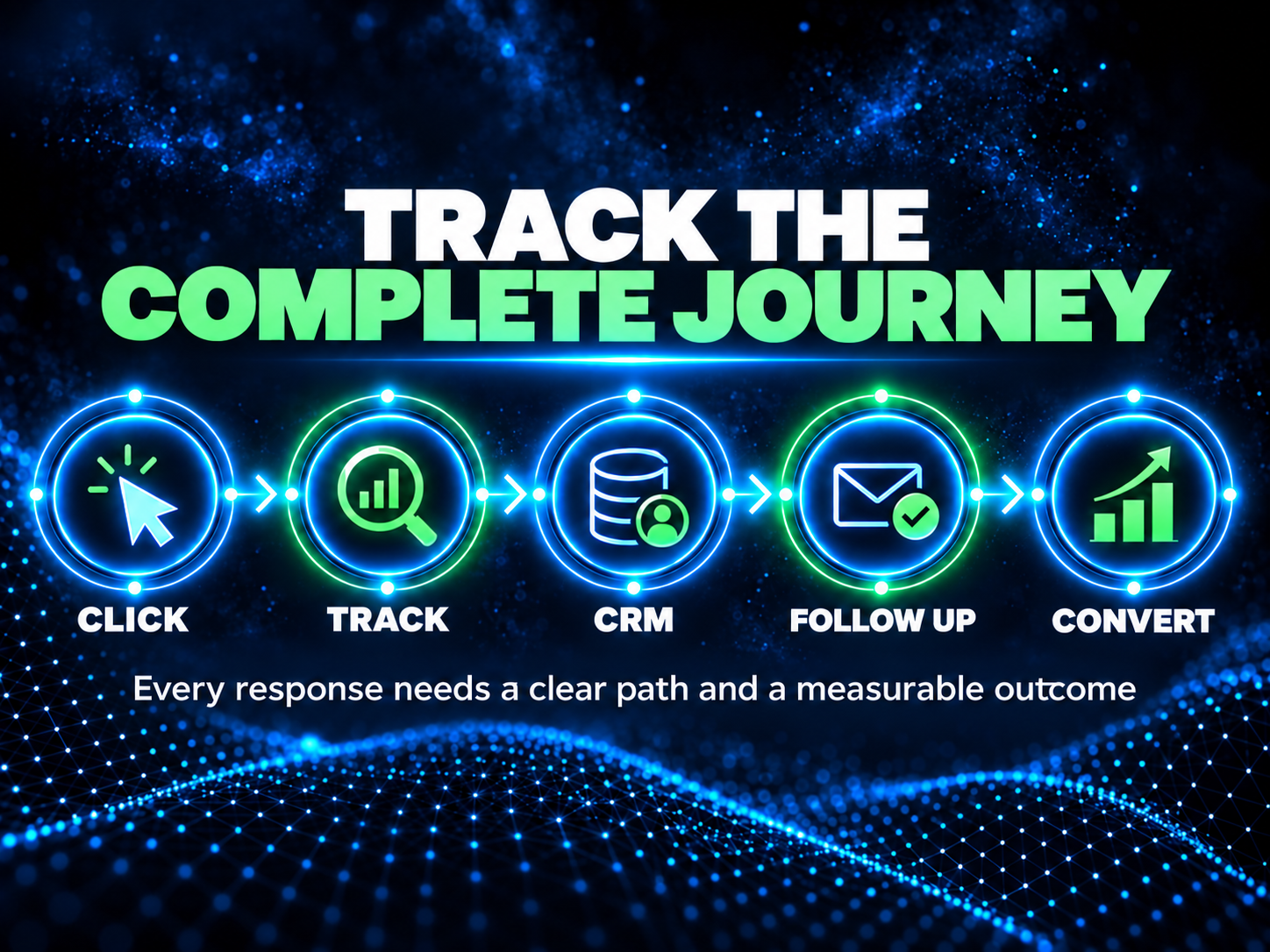
Tracking should also connect to the systems used by the business. A form submission may need to appear in the advertising platform, analytics platform, CRM, email inbox, and reporting dashboard.
Practical Tip
Complete a test conversion and verify it inside the advertising platform, analytics platform, CRM, and notification inbox before approving the campaign.
6. Align the Message and Creative
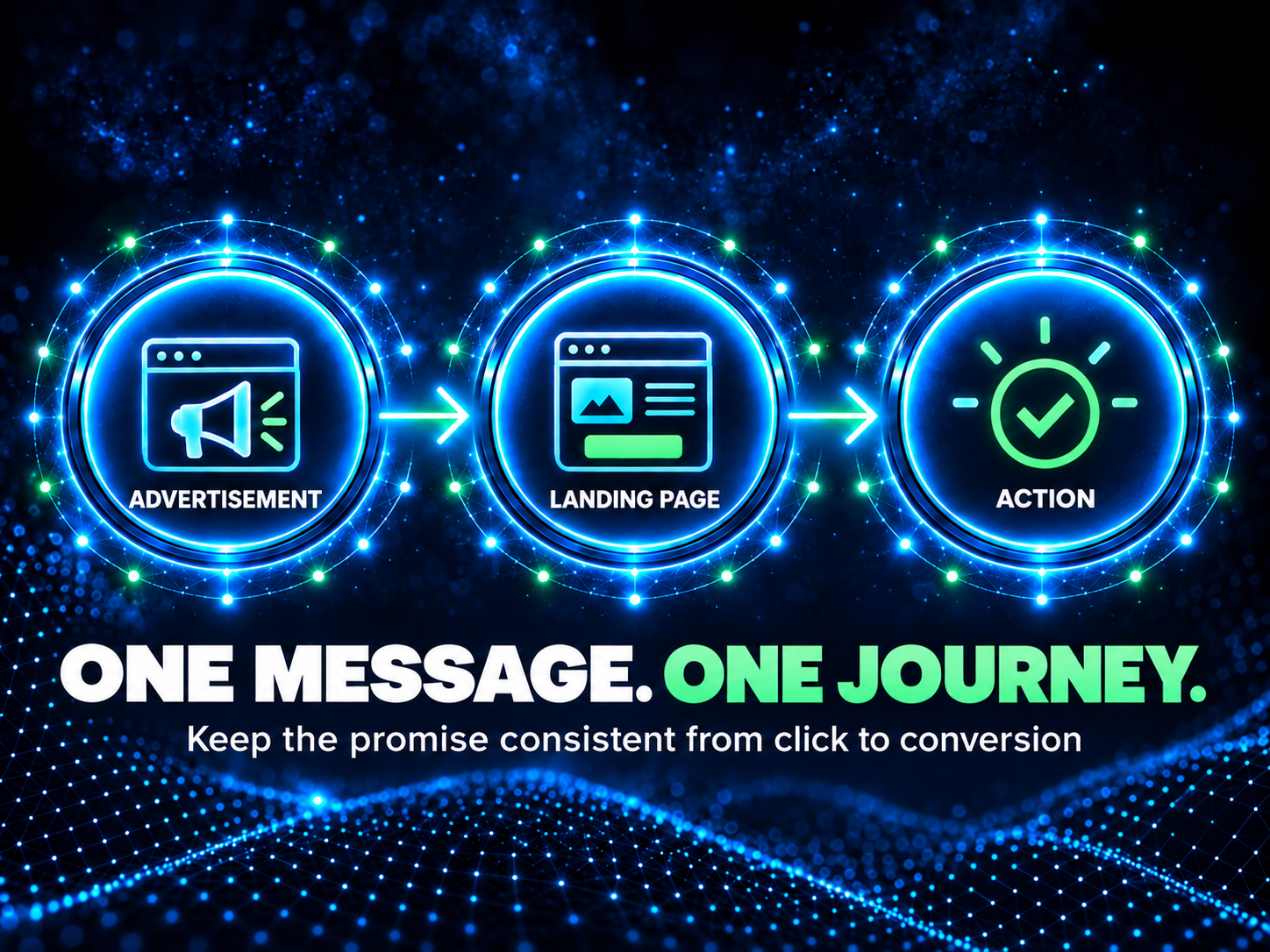
A campaign becomes harder to understand when the advertisement, visual, offer, and landing page communicate different ideas.
The creative may attract attention, but the message must guide the right person toward the next action.
Review the following elements as one connected sequence:
The visual
The headline
The supporting copy
The offer
The call to action
The landing page headline
The form or booking process
The confirmation message
The creative should attract attention without exaggerating the offer. The copy should communicate value without relying on unnecessary marketing jargon. The call to action should accurately describe what will happen after the person clicks.
Message alignment builds confidence because each step confirms that the visitor is still following the same path.
Practical Tip
Place the advertisement and landing page side by side. If they appear to belong to different campaigns, revise them before launch.
7. Test the Mobile Experience
A landing page that works on a desktop computer can still fail on a mobile device.
Test the complete experience on a real phone. Do not rely only on the mobile preview inside the page builder.
Review:
Page loading
Headline visibility
Button placement
Form fields
Menus
Popups
Cookie notices
Chat widgets
Confirmation messages
Click to call functions
Booking steps
Payment steps
Pay particular attention to the first visible screen.
The visitor should understand the offer and see the next action without excessive scrolling. Forms should be easy to complete with a thumb. Error messages should explain what needs to be corrected. Buttons should not be hidden by widgets, notices, or navigation elements.
Practical Tip
Complete the full conversion process using mobile data as well as WiFi. This can reveal practical problems that a desktop preview will not show.
8. Set Budget and Bid Controls
Budget decisions should reflect the campaign objective, audience size, location, conversion path, expected cost, and the amount of information required to evaluate performance.
Before launch, confirm:
The daily or lifetime budget
Campaign start and end dates
The bid strategy
Billing information
Account spending limits
Geographic settings
Scheduling
Audience exclusions
Placement settings
Conditions for pausing or increasing spend
Agree in advance on the conditions for changing the budget.
This prevents reactive decisions based on a small number of clicks or one unusually strong or weak day. Early performance should be monitored closely, but adjustments should be based on meaningful evidence.
A budget should not simply define how much can be spent. It should also establish how spending will be controlled and reviewed.
Practical Tip
Record the approved budget, launch date, review date, and pause conditions in one campaign brief that every decision maker can access.
9. Build the Lead Follow Up Process
Lead generation does not end when a form is submitted.
Define who receives the enquiry, where the contact record is stored, how the lead is assigned, and how quickly a response should happen.
The process should answer the following questions:
Does the prospect receive an immediate confirmation?
Does the enquiry enter the correct CRM pipeline?
Is the responsible person notified?
Is a follow up task created?
Are qualification criteria clearly documented?
What happens if the first contact attempt is unsuccessful?
How are unresponsive leads managed?
How is the final outcome recorded?
Automated acknowledgement can confirm that the enquiry was received, but it should not replace a clear sales or service process.
CRM stages, notifications, tasks, and reminders can help prevent leads from being forgotten. These systems are only useful when the responsible people understand and follow the process.
Practical Tip
Submit a test lead using a real inbox and phone number. Confirm the customer message, internal notification, CRM record, assignment, and next task.
10. Complete a Final End to End Test
The final test should reproduce the complete experience of a real prospect.
View the live advertisement preview, click the correct destination, review the page on mobile, submit the form, inspect the confirmation, verify the tracking event, check the CRM record, and confirm that the responsible person receives the notification.
Also review:
Spelling
Contact information
Dates
Pricing
Legal notices
Audience settings
Geographic targeting
Exclusions
Campaign status
Links
Naming conventions
Reporting access
Save evidence of the successful test.
A documented launch checklist is easier to repeat, improve, and audit than a process that depends on memory.
Practical Tip
Do not approve the launch based only on screenshots or editor previews. Test the complete published path wherever the advertising platform allows it.
A Better Launch Begins Before Launch Day
A digital campaign should not be treated as a collection of separate assets.
It is a connected journey that begins with audience relevance and ends with a measurable business response.
The advertisement may create the first impression, but the landing page, tracking, CRM, notifications, and human follow up determine whether that attention becomes useful.
Completing these ten checks cannot guarantee a specific result. It can, however, remove avoidable uncertainty, protect the campaign budget, improve the quality of the data, and give the team a clearer basis for optimization.
When the complete system has been planned and tested, launch becomes a controlled starting point rather than an expensive experiment.
Need a Second Set of Eyes Before Launch?
Blink Digital Consulting helps businesses connect campaign strategy, landing pages, tracking, lead management, CRM, automation, and conversion processes into one measurable system.
Visit https://blinkdigitalconsulting.com/ to learn more.
Sources
LinkedIn Help, Write and Publish Articles on LinkedIn:
https://www.linkedin.com/help/linkedin/answer/a522427
Google Ads Help, Set Up Your Web Conversions:
https://support.google.com/google-ads/answer/16560108
Meta for Business, Ads Manager:
https://www.facebook.com/business/tools/ads-manager
Seth Godin, What Is Marketing Today:
https://www.youtube.com/watch?v=vrJY85dBJLc
Blink Digital Consulting
Blink Digital Consulting helps businesses generate qualified leads, improve online visibility, automate follow-up, and build digital marketing systems that work around the clock.